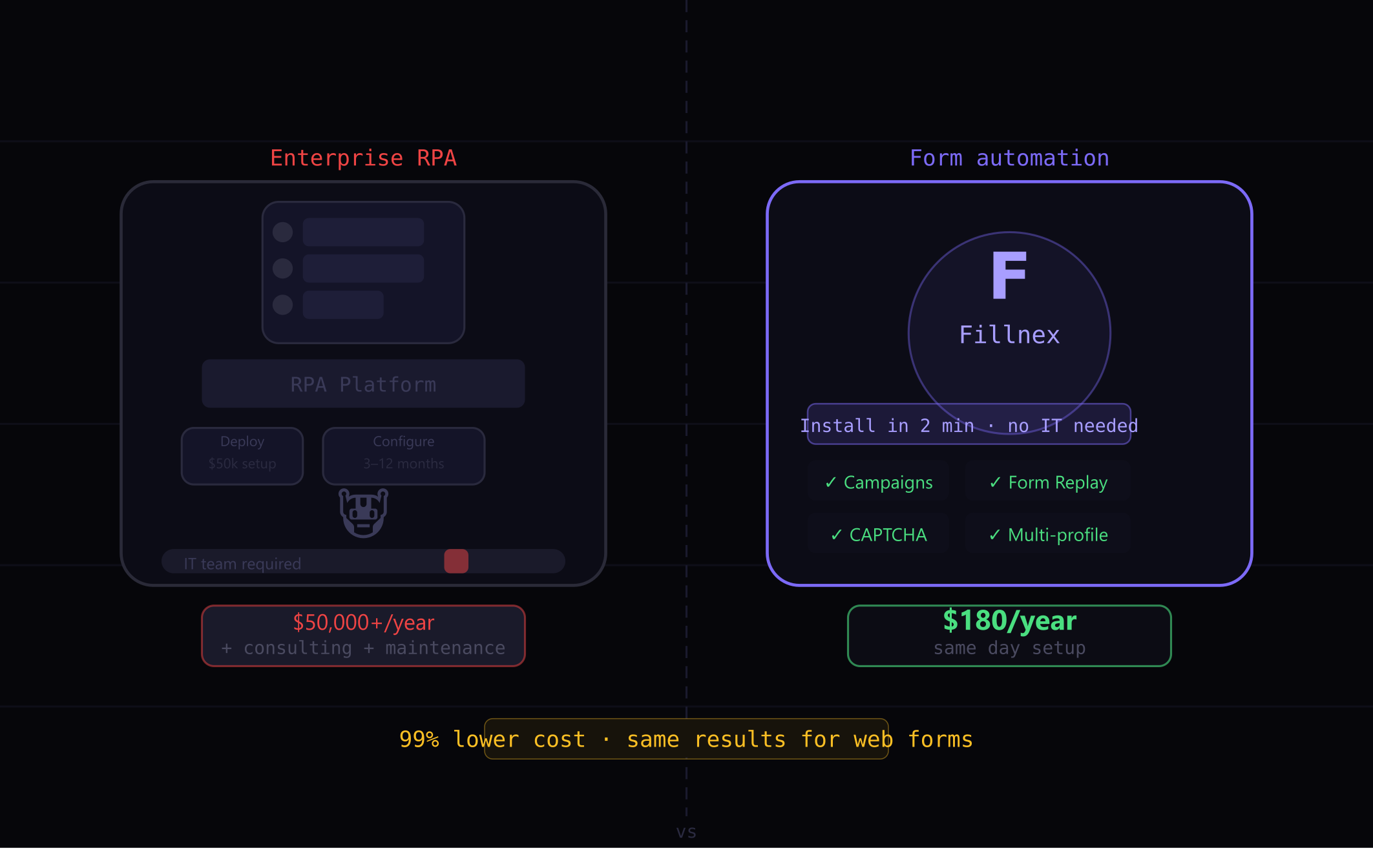
RPA (Robotic Process Automation) tools like UiPath and Automation Anywhere are frequently recommended for web workflow automation. Browser-based form automation tools like Fillnex are rarely mentioned in the same breath. But for many use cases, they’re not competing solutions — and understanding the difference helps you choose correctly the first time.
What Is RPA?
RPA tools automate repetitive tasks by mimicking human interactions with software interfaces. They can operate desktop applications, web browsers, spreadsheets, and legacy systems. Enterprise RPA platforms (UiPath, Blue Prism, Automation Anywhere) are built for large organizations with complex process automation needs and dedicated IT resources to implement them.
RPA strengths:
- Cross-application automation (browser + desktop + Excel + legacy systems)
- Complex conditional logic and decision trees
- Integration with enterprise systems and databases
- High reliability for mission-critical processes
- Audit trails and compliance features
What Is Browser Form Automation?
Browser form automation tools like Fillnex operate within a single browser and focus specifically on web form interactions. They’re designed for individuals and small teams who need to fill forms across many websites efficiently — without enterprise infrastructure or implementation projects.
Browser automation strengths:
- Zero implementation time (install, set up profile, start filling)
- No IT involvement required
- Works on any website without custom configuration per site
- Intelligent field detection handles diverse form structures
- Affordable for individuals and small teams

The Cost Comparison
Enterprise RPA implementation cost:
- UiPath: $3,000–$15,000+/year for platform license
- Implementation consulting: $10,000–$100,000+ for complex processes
- Maintenance: ongoing developer time for process updates
- Timeline from decision to deployment: 3–12 months
Browser form automation cost:
- Fillnex Pro: $15/month
- Implementation time: 1–2 hours for initial setup
- Time to first automation: same day
For enterprise-wide process automation of mission-critical workflows, RPA’s cost is justified. For an individual or small team automating web form workflows, the RPA cost-to-value ratio is wildly mismatched.
The Use Case Overlap
The overlap zone — where both tools technically work — is web-based form workflows. An RPA bot can be built to fill directory submission forms. A Fillnex campaign can also fill those same forms. The practical difference:
- RPA requires a developer to build the bot, test it, and maintain it as sites change
- Fillnex adapts automatically to site changes using intelligent field detection; manual reassignment is needed only for unusual fields
For a 300-site directory submission campaign, Fillnex takes 3–4 hours to set up. An equivalent RPA solution would take weeks and thousands of dollars to build — and then require ongoing maintenance.
When to Choose RPA
- You need to automate processes that span desktop applications AND the web
- You have a dedicated IT team and automation developer budget
- The process involves complex business logic and multiple data sources
- Compliance and audit trail requirements mandate enterprise tooling
- Scale involves thousands of transactions per day, not hundreds per week
When to Choose Browser Form Automation
- Your automation need is primarily web-based form filling
- You need to be running automated campaigns this week, not this quarter
- Budget is a real constraint
- You’re an individual contributor or small team, not an enterprise IT department
- The volume of forms makes manual work genuinely painful but doesn’t justify RPA investment
The Hybrid Approach
Many organizations use both. Enterprise RPA handles the mission-critical, complex, high-compliance processes. Browser automation handles the high-frequency, lower-complexity web tasks that don’t justify enterprise automation investment. The tools aren’t competing — they serve different tiers of automation need within the same organization.
→ What is a browser automation extension?
→ How to automate without code
Get RPA-level results at 1% of the cost
Fillnex handles your web form workflows without enterprise complexity.
Start Free Trial →