
CAPTCHAs are the single biggest friction point in automated SEO submissions. They’re designed to stop bots — and without the right solution, they stop your campaigns too. Here’s how to handle them automatically so your campaigns run uninterrupted.
Why CAPTCHAs Are Common on Directory Sites
Directory and citation sites attract spam submissions constantly. A basic form without any protection will get hit by hundreds of junk submissions daily. Site owners respond by adding CAPTCHAs — which is understandable from their perspective, but creates friction for legitimate automated submissions.
The good news: modern CAPTCHA solving services have made this a solved problem. For around $3 per 1,000 CAPTCHAs, you can automate the solving process and keep your campaigns running without manual intervention.
Types of CAPTCHAs You’ll Encounter
reCAPTCHA v2 (checkbox): The classic “I’m not a robot” checkbox. Sometimes it just needs a click; other times it triggers image challenges. This is the most common type on directory sites.
reCAPTCHA v3 (invisible): Runs in the background scoring user behavior. No visible challenge — if the score is low, it either blocks submission or triggers a v2 fallback. Common on modern sites.
hCaptcha: An alternative to reCAPTCHA used by privacy-conscious sites. Visually similar to reCAPTCHA v2 but uses a different backend. Increasingly common since 2020.
Cloudflare Turnstile: Cloudflare’s CAPTCHA replacement. Usually invisible but can present a challenge on suspicious behavior. Common on sites protected by Cloudflare.
Simple image CAPTCHAs: Older sites still use basic “type the text you see” image CAPTCHAs. These can be solved by OCR-based services.
The 2Captcha Solution
2captcha.com is a CAPTCHA solving service that uses a combination of AI and human solvers. You submit the CAPTCHA to their API, they solve it (typically in 10–30 seconds), and return the solution token that you inject into the form.
Pricing: ~$3 per 1,000 reCAPTCHA v2 solves, ~$3.50 per 1,000 hCaptcha, ~$2.50 per 1,000 Cloudflare Turnstile. For a 300-site campaign where 50% of sites have CAPTCHAs, you’re looking at $0.45–$0.75 in CAPTCHA solving costs. Negligible.
Setting Up 2Captcha in Fillnex
- Sign up at 2captcha.com and add a minimum balance ($3 recommended to start)
- Copy your API key from the dashboard
- In Fillnex, go to Settings → Settings tab
- Paste your 2Captcha API key and click Save
- Fillnex now automatically detects and solves CAPTCHAs during form fills
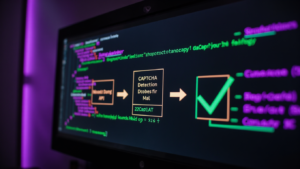
When a CAPTCHA is detected, you’ll see a “CAPTCHA DETECTED” badge in the bottom-left of the page. After 10–30 seconds, it changes to “✓ Solved” and the form submission continues automatically.
What Happens When CAPTCHA Solving Fails
Occasionally a CAPTCHA solve will fail — the token expires before submission, or the solving service times out. Fillnex handles this by retrying once automatically. If the retry also fails, the submission is logged as failed and you can handle it manually.
In practice, the fail rate is low — around 1–3% of CAPTCHA attempts. For a 300-site campaign, that’s 3–9 sites needing manual attention, which is manageable.
Sites That Can’t Be Automated
A small number of sites use CAPTCHA implementations that resist automated solving:
- FunCaptcha / Arkose Labs — used by some larger platforms, harder to solve automatically
- Custom image CAPTCHAs — proprietary challenges that require specialized solvers
- Behavioral analysis systems — sites that track mouse movement patterns and keystroke timing
For these sites, use Fillnex’s typing simulation mode (which types characters individually rather than injecting values) and handle CAPTCHA manually when needed. Flag them in your spreadsheet as “manual CAPTCHA” sites.
Cost Analysis
Total cost to run 300 CAPTCHA-protected submissions:
- 2Captcha solving: $0.45–$0.90
- Fillnex Pro plan: $15/month (covers unlimited campaigns)
- Time cost: ~1 hour oversight vs 30 hours manual
Compare to manual: 30 hours × $50/hour = $1,500 in labor. Automation cost: under $16 total. The ROI calculation doesn’t require a spreadsheet.
→ What is a SEO workflow automation extension?
→ Full automation guide: directory submissions step by step
Automate your CAPTCHA solving
Set up 2Captcha in 2 minutes and stop CAPTCHAs from blocking your campaigns.
Start Free Trial →