The most productive professionals aren’t necessarily working harder — they’ve systematized their repetitive work so they can focus on high-value tasks. A personal automation system built around browser extensions is one of the highest-ROI productivity investments you can make. Here’s how to build one.
What a Personal Automation System Is
A personal automation system is a set of tools and workflows that handle your recurring repetitive tasks automatically, freeing you to focus on work that requires judgment, creativity, and expertise.
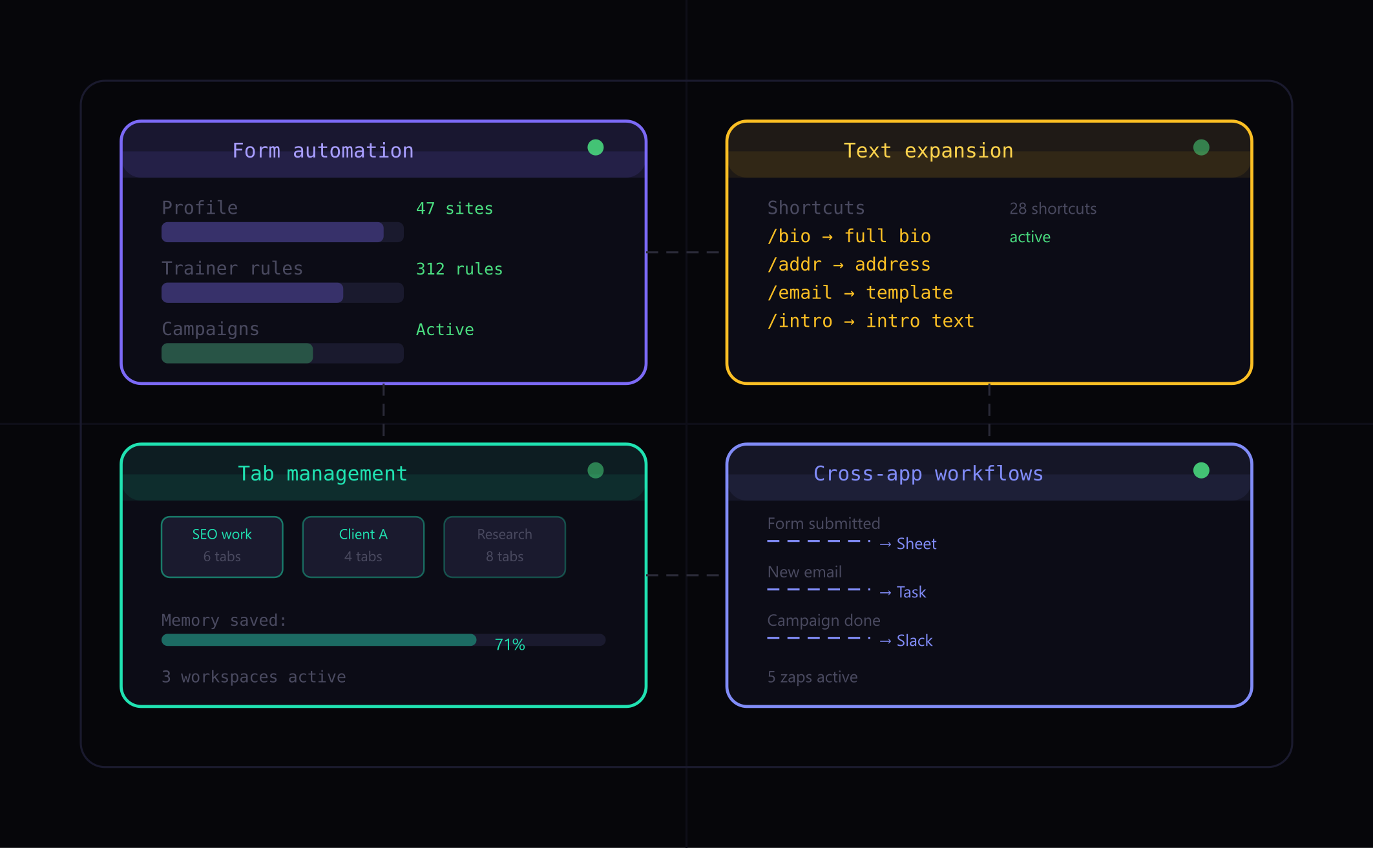
For browser-based work, this means:
- A form automation extension handling all repetitive form filling
- Text expansion handling repetitive typing
- Tab management keeping your work context organized
- Cross-app automation connecting your web tools together
Built correctly, this system operates largely in the background. You interact with it minimally — triggering fills, confirming form submissions, reviewing campaign results — while it handles the execution.
Layer 1: Form and Data Entry Automation
This is the foundation. Start with Fillnex:
- Create your master profile — all personal and professional information, multiple bio variations via spintax
- Create role-specific profiles — if you manage multiple projects or clients, create separate profiles for each
- Build trainer rules over time — as you encounter new sites, assign field types with right-click. This builds a permanent library of site-specific rules
- Record replays for complex flows — identify your 5–10 most complex recurring form tasks and record replays for each
After 2–4 weeks of daily use, most of your regular form tasks will fill automatically without any intervention.
Layer 2: Text Expansion
Complement form automation with text expansion for the typing that happens outside of forms — emails, chat messages, comments, documentation.
Build a library of shortcuts for:
- Your professional bio (short and long versions)
- Standard email openings and closings
- Frequently asked questions you answer repeatedly
- Meeting request templates
- Common URLs, addresses, and reference information
Text Blaze works directly in the browser. Espanso works system-wide including desktop apps.
Layer 3: Tab and Context Management
Cognitive overhead from tab overload is real. Organize your browser context around your work streams:
- Workona — saves tab groups as workspaces, restores complete sessions, prevents tab sprawl
- OneTab — collapse unused tabs into a list, restore individually or all at once
The goal: when you switch between projects, you switch workspaces and get exactly the tabs you need — nothing more, nothing less.
Layer 4: Cross-App Workflow Automation
Connect your tools with Zapier or Make for the workflows that move data between applications:
- New form submission → add to spreadsheet + send notification
- New email from specific sender → create task in project management tool
- Campaign completion → log results to tracking sheet
Start with 2–3 high-frequency workflows. Each one eliminates a category of manual copy-paste work between tools.
Maintenance: Keeping the System Running
A personal automation system requires occasional maintenance:
- Update profiles when your information changes
- Re-record replays when sites update their forms (typically 1–2 per month)
- Add new trainer rules when you encounter new sites
- Review and prune text expansion shortcuts quarterly
Total maintenance time: 30–60 minutes per month. Time saved: 5–15+ hours per week. The ratio makes ongoing maintenance a trivial investment.
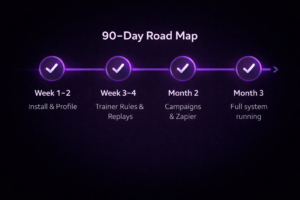
The 90-Day Build Plan
Week 1–2: Install tools, create master profile, set up text expansion library
Week 3–4: Build trainer rules for your 20 most frequent sites, record 5 Form Replays
Month 2: Set up Zapier workflows, build first bulk campaigns
Month 3: Refine and expand — add profiles, build more campaigns, add text shortcuts
By month 3, the system is largely self-running. New tasks get added as you encounter them, but the core automation is handling your regular workflow automatically.
→ What is a browser automation extension?
→ Best browser extensions for workflow automation
Build your automation system today
Fillnex is the form automation layer your productivity stack needs.
Start Free Trial →